
The complete inbox for your job search
From alert to offer, JobBox helps you move faster.

500+
Users
180,000+
Jobs discovered
2,000
Job locations
“JobBox found quite a few jobs in my area that I didn’t know had openings”
Jane D.
“I'm completely overwhelmed by the number of job alerts my email is receiving at the moment. JobBox helps me keep track of all my alerts in one place.”
Mike K.
“JobBox made my job search so much easier. All of my alerts are organized in one place, and I never miss an opportunity now.”
Samantha P.
Unlock the power of job alerts
Applying early makes a huge difference. Job alerts give you that edge, but only if you use them the right way.
Most people subscribe to just one or two sources, assuming all job boards post the same listings. In our research, we found that fewer than 10% of jobs overlap in job alerts.
To see more opportunities, you need alerts from multiple sites. But that quickly turns into a noisy, cluttered inbox. That’s where JobBox comes in.
See when job alerts are sent
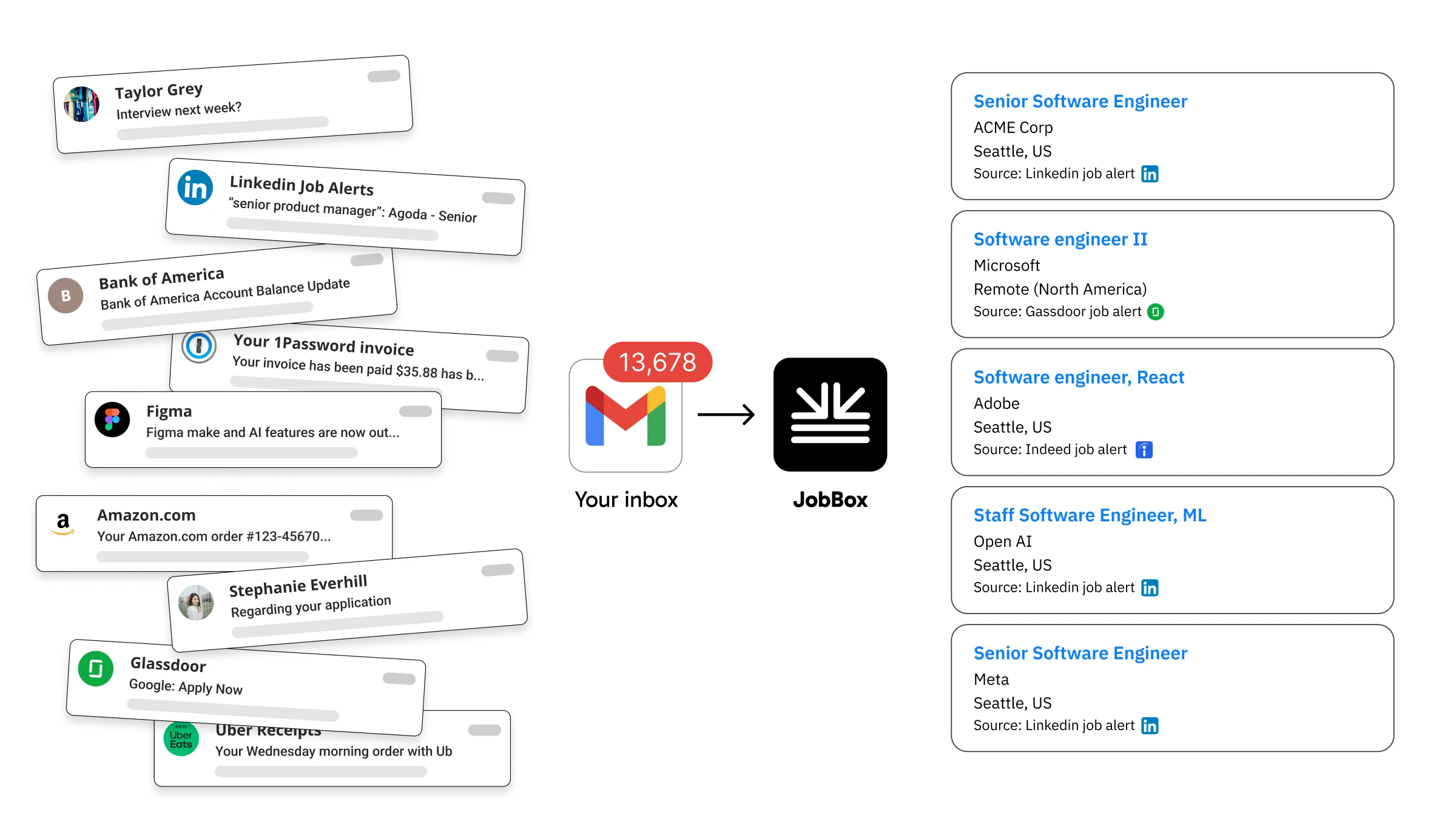
How JobBox works
Job alerts hit your inbox
Job boards like LinkedIn, Indeed, and Glassdoor send you new opportunities daily.
Most of them get buried.
JobBox finds the signal
With secure, read-only Gmail access, JobBox automatically identifies job alert emails.
Everything else is ignored.
Job details are extracted
From all your job alert emails, JobBox finds the jobs and pulls out the information you need.
Your job search, organized
All your jobs are organized in one, clean feed where you can:
- Review opportunities
- Track applications
- Save or dismiss jobs

Sign in with Gmail
Grant read-only email permissions so JobBox can find and organize your job alert emails automatically. JobBox only checks job alert emails from job boards.
Learn more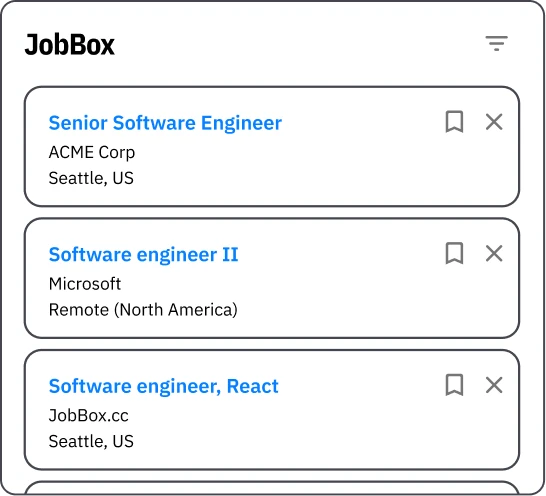
View and apply to new jobs
JobBox eliminates duplicate jobs and shows the most relevant jobs on top so you can apply to them first.
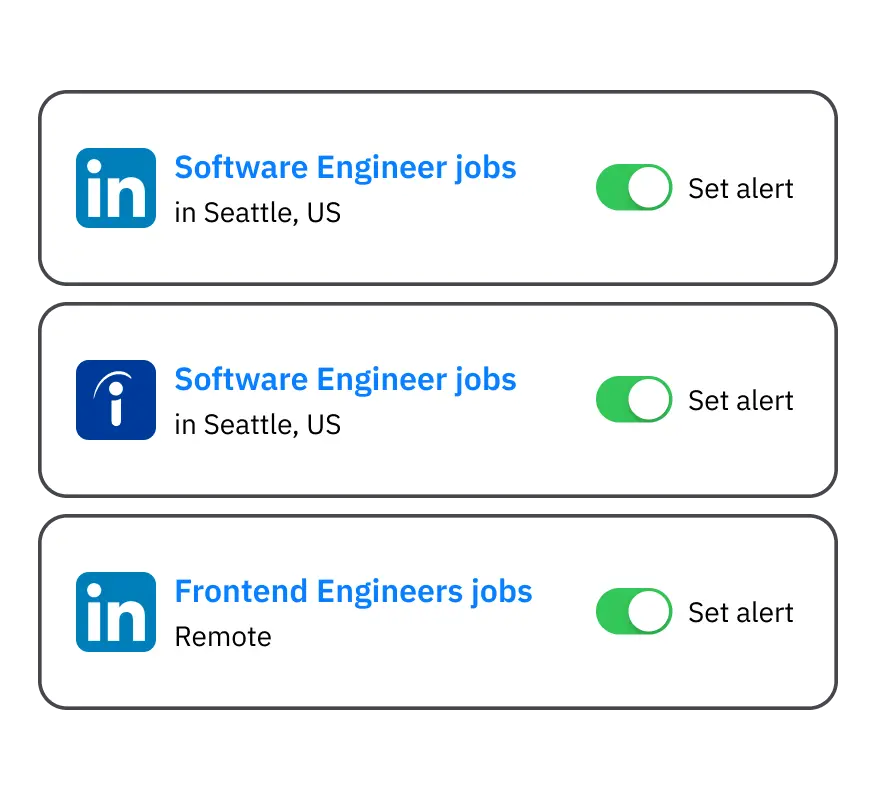
Stay informed for new jobs
Sign up for more job alerts from your favorite sites. JobBox keeps you organized and focused on your next opportunity.
Your privacy comes first
JobBox only requests read-only Gmail access to detect job alert emails and organize them into your dashboard.
We only extract job details (job title, company, location, etc.) so you can easily review opportunities in one place. JobBox does not read or process your personal emails.
What JobBox can do
- Detect job alert emails from sites like LinkedIn, Indeed, and Glassdoor
- Extract job information from those alerts
- Organize the jobs into your JobBox dashboard
What JobBox does not do
- Send emails from your account
- Delete or modify your emails
- Access Google Drive or other Google services
- Read emails unrelated to job alerts
Your data stays private
Your information is never sold or shared with third parties. All data is securely encrypted and you can revoke access anytime from your Google account.
Built by people who understand job search
JobBox is created by two product builders who have spent years working on job platforms and developer tools.

Previously worked at Glassdoor, Indeed, Google, and Microsoft, where he helped build products used by millions of job seekers.





Has worked on product design at Indeed, Shopify, and Intercom, focusing on building simple tools that help people find opportunities and do their best work.


We built JobBox because we believe job alerts should help you discover opportunities — not overwhelm your inbox.
Yes. JobBox is currently free for job seekers during beta while we continue improving the product based on user feedback.
JobBox currently supports job alert emails from:
- Indeed
- Glassdoor
- ZipRecruiter
- Welcome to the Jungle (Otta)
- Google Jobs alerts
We're actively adding more sources. If there's a job board you use that isn't supported yet, let us know and we'll look into adding it.
Job boards are incentivized to promote jobs that need more visibility. Because of this, job alert emails often include:
- Jobs that were posted earlier but need more applicants
- Reposted jobs
- Multiple listings grouped together in a single alert
We still recommend reviewing the opportunities and applying if the role looks like a strong fit.
We understand that syncing your email can feel sensitive.
JobBox only requests read-only Gmail access to detect job alert emails and extract job information such as the job title, company, and application link.
JobBox cannot send emails, delete messages, or modify your inbox.
You can also revoke access anytime from your Google account settings.
If you prefer, you can try JobBox with a separate Gmail account dedicated to job alerts.
No. JobBox only detects job alert emails from supported job boards and extracts job information from those alerts.
Other emails in your inbox are ignored.
No. JobBox only has read-only access to detect job alert emails.
It cannot send emails, delete messages, or modify anything in your inbox.
Yes. You can revoke access anytime from your Google account permissions page, and JobBox will immediately stop accessing your inbox.
Different job boards often have very little overlap in listings.
By subscribing to alerts from multiple sites, you can discover significantly more opportunities — but those alerts quickly become difficult to manage in your inbox.
JobBox brings them together into one organized dashboard.
Join hundreds of job seekers already using JobBox.
Get your job alerts under control
JobBox brings together job alerts from LinkedIn, Indeed, Glassdoor, and more — so you can discover opportunities without digging through your inbox.
Start organizing your job alerts today.
Read-only Gmail access • Revoke anytime • Free during beta